How to Remove Duplicate Lines From Text Without Changing the Order | TextToools
Put one item on each line. Exact duplicates are removed, the first occurrence stays, and the remaining lines keep their original order.
The quick way to remove duplicate lines
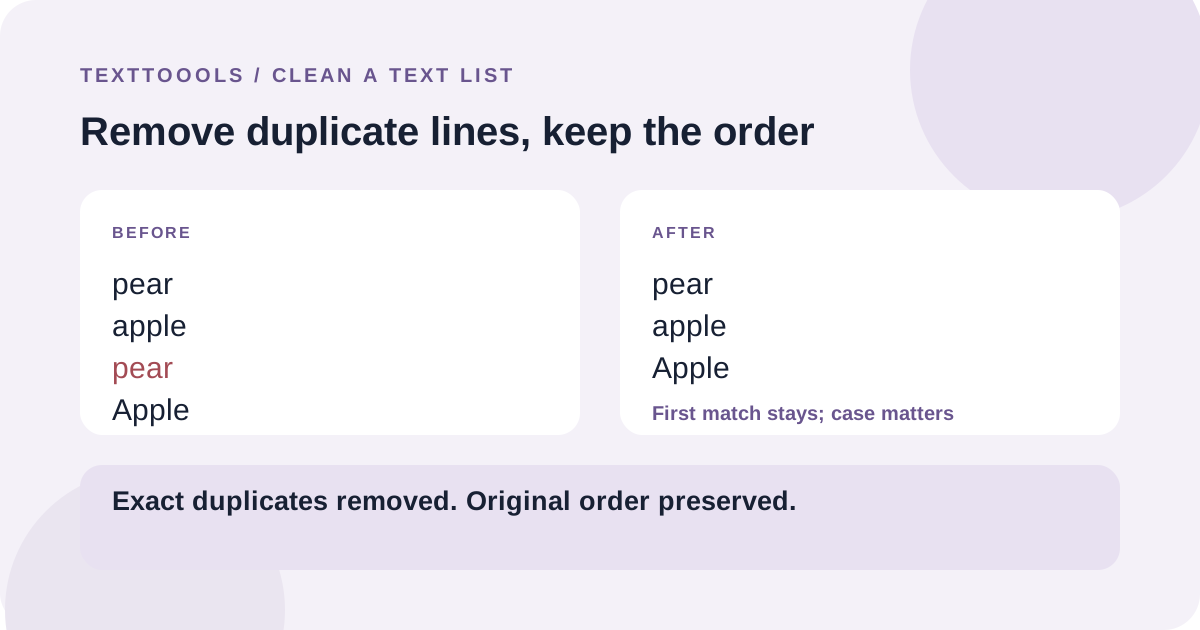
Put one item on each line, then remove repeated lines while keeping the first occurrence of each exact match. For example, pear, apple, pear, Apple becomes pear, apple, Apple. The original order of the remaining entries is preserved.
This is useful for cleaning copied names, URLs, keywords, IDs, or other plain-text lists before reusing them.
What counts as a duplicate?
A line is a duplicate only if its contents match another line exactly. Capitalization and spaces matter: Apple and apple are different lines, and name and name followed by a space are different too.
The tool does not trim spaces, change capitalization, correct spelling, or compare similar-looking entries. If you want those differences treated as the same, clean or standardize the list first.
The first copy stays in its original position
When an exact line appears more than once, the first copy remains and later copies are removed. The tool does not sort the list, so the unique items stay in the order in which they first appeared.
This is useful when the list order has meaning, such as a sequence of tasks or the order in which names were collected. If you need alphabetical order instead, sort the list as a separate step.
How blank lines are handled
Blank lines are lines too. Repeated blank lines collapse to one at the position of the first blank line. If blank lines separate meaningful sections, keep a copy of the original and check that the result still has the structure you need.
Whitespace-only lines are not the same as empty lines: a line containing spaces remains distinct from a truly blank line.
Prepare the list before deduplicating
Make sure each complete item is on one line. If the list comes from a spreadsheet, copy only the column you want to deduplicate; combining several columns into plain text can lose the relationship between values in the same row.
If capitalization or extra spaces should not distinguish entries, normalize those differences first with your editor or a text-cleaning step. Keep an untouched copy when the source order or exact formatting matters.
Review the result before you reuse it
Deduplication only removes later exact matches. It does not merge near-matches, validate addresses or IDs, fix typos, or decide whether two different spellings refer to the same person.
Check a few entries near the start and end of the output, especially if the list is used for imports, contact records, or another system where every line has a consequence.
A note from the founder
When I built the duplicate-line remover, I chose to keep the first exact match and preserve the original order. That makes the result predictable, but it also means a space or capital letter can make two entries different—so I always recommend reviewing the matching rule before using the cleaned list.
About the author
Written by the founder of TextToools. I build privacy-respecting text tools because I believe your text should not have to leave your browser.