·
How to Write a Project Status Report (With a Simple Template) | TextToools
A useful project status report gives stakeholders a dated snapshot of where the work stands, what changed, what could affect the plan, and what needs to happen next.
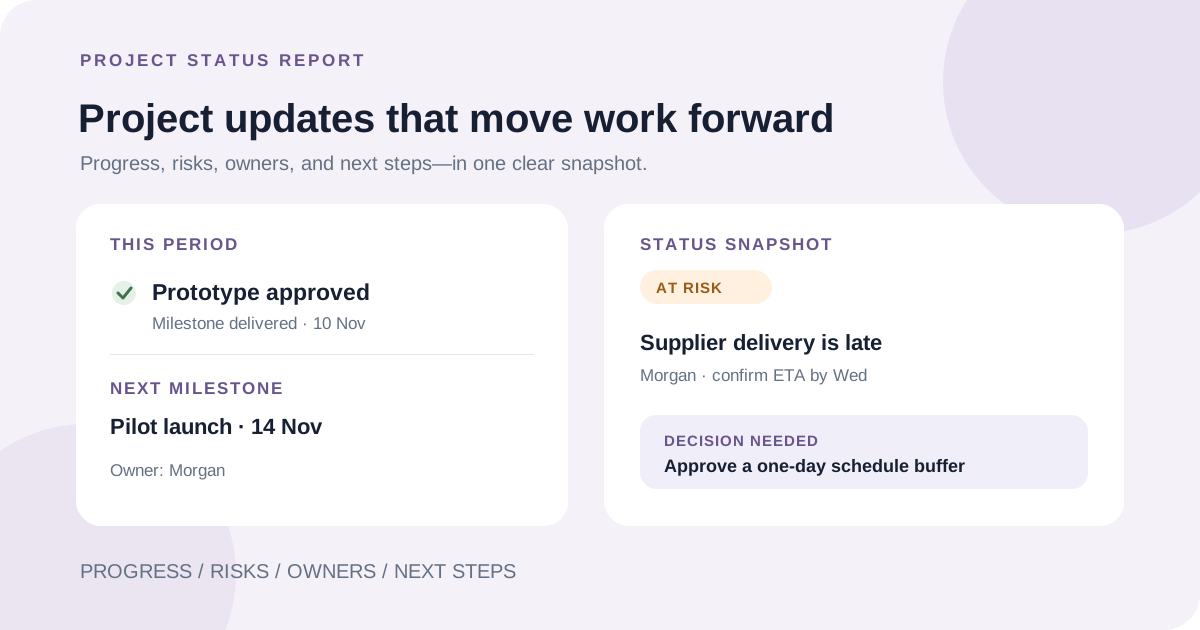
What a project status report should tell you
A project status report is a concise snapshot of a project's health at a specific point in time. It helps a team or stakeholder see what is on track, what has changed, what might delay the work, and what needs attention next.
A status report can include recent accomplishments, but it is not a meeting transcript or a list of every task. Its job is to make the current situation understandable and help people make decisions without searching through multiple messages.
Choose the audience and reporting period
Start with the people who will use the update. A project team may need detailed blockers and handoffs; a sponsor may need milestones, schedule or budget changes, and decisions that require their help. Keep one shared source of truth, then adjust the level of detail for each audience.
Set a reporting period and a predictable cadence that fits the project's pace and stakeholder needs. Weekly updates work for many active projects, while a longer or steadier project may need a less frequent summary. Put the project name, dates covered, and report date near the top so readers know exactly how current the information is.
Lead with the overall status and its reason
Begin with a short summary that says whether the project is on track, at risk, or off track, then name the main reason. Use the same status definitions from one report to the next; if your team uses green, yellow, and red, agree what each color means instead of relying on personal interpretation.
A status label is not evidence by itself. Tie it to a milestone, a changed assumption, a forecast, or a specific blocker. If the evidence is incomplete, say what is still unknown and when it will be checked rather than presenting a reassuring label as certainty.
Show progress against milestones
Summarize the most meaningful work completed during the reporting period and compare it with the plan. Then name the next milestone, its target date, and any dependency that could affect it. A small number of dated outcomes is more useful than a long list of activity.
Use metrics only when they help explain project health. For example, show a schedule or budget measure alongside its baseline and reporting date. Do not report a percentage without explaining what it measures, and avoid treating hours spent or tasks closed as proof that the intended outcome is complete.
Make risks, blockers, and requests actionable
Separate a risk that may happen from an issue or blocker that is already affecting the work. For each important item, explain the impact, name an owner, and state the next mitigation or resolution step with a target date. If there is no agreed owner or date, mark it for confirmation instead of guessing.
If you need a decision or help from a stakeholder, make the request explicit: what needs to be decided, who should decide, and by when. Put urgent requests near the summary so they are not hidden in a long report.
A simple project status report template
Copy this outline for a weekly or monthly update, then remove fields that do not apply. Keep the report focused on decisions, meaningful changes, and upcoming work.
Check the report before sharing it
Before sending, verify names, dates, milestones, figures, and status against the team's current plan. Make sure a risk has not silently become an issue, a completed activity is not being presented as a delivered outcome, and each next step has an owner where one has been agreed.
Share the update where stakeholders can find the latest version, and keep the reporting rhythm consistent. A clear, timely note can reduce routine status meetings, but it should not replace a conversation when a decision, escalation, or sensitive issue needs discussion.
A note from the founder
I find a project update easier to act on when it makes the next decision or action obvious. A brief explanation beside the status is more useful than a color or percentage on its own.
About the author
Written by the founder of TextToools. I build straightforward browser tools for everyday writing and planning tasks.