·
How to Write an Out-of-Office Message (With Examples) | TextToools
A good out-of-office message tells people when you are unavailable, when you expect to return, and where to direct urgent requests—without sharing more than they need.
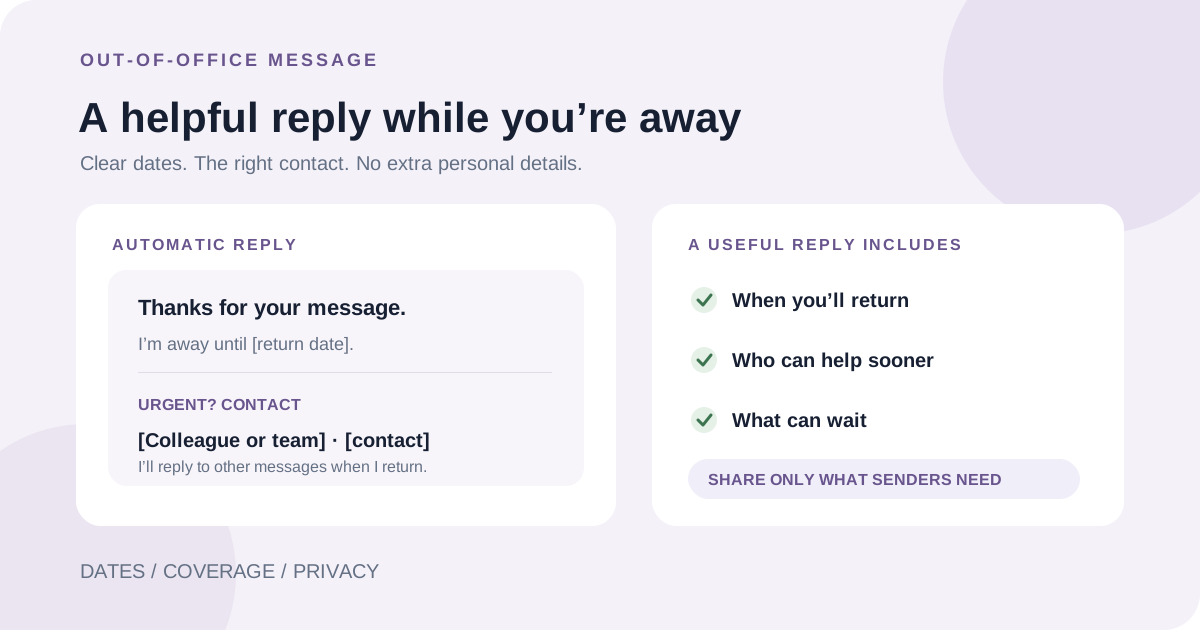
What an out-of-office message needs to do
An out-of-office message is a short automatic reply that sets expectations while you cannot respond. A reader should be able to tell that you are unavailable, when you expect to return, and what to do if a request cannot wait.
It does not need to explain your personal plans or repeat your whole email signature. A few useful details are easier to scan and less likely to reveal information that recipients do not need.
Include dates and a realistic response expectation
Give the period you will be away or a clear return date. If your return date is uncertain, say when you expect to check messages again rather than promising a specific reply time. Use dates that will be clear to people in other regions; adding the month in words can prevent ambiguity.
If you will only check email occasionally, say so plainly. Do not imply that someone is monitoring your inbox unless that arrangement is actually in place. If there is no one covering your work, it is fine to say that you will respond after you return.
Name an alternative contact only when there is coverage
For urgent matters, provide a colleague, team inbox, or service desk that has agreed to handle them. Include only the contact details and scope they have approved, so people know which requests to send there.
If there is no cover, do not invent one. Direct senders to an existing support channel only if it is appropriate for their issue, or explain that non-urgent messages will be handled when you are back.
Keep the message professional and protect your privacy
A brief reason such as “I am away from the office” is usually enough; you do not have to explain why you are absent. Avoid sharing travel plans, personal contact details, account information, or other sensitive details in an automatic reply that may go to people outside your organization.
If your email service supports different replies for internal and external senders, use that option when it helps you share more useful internal coverage information without exposing it externally. Check your organization's policy before including confidential team or customer information.
Choose the subject and tone
Use a subject that makes the automatic reply recognizable, such as “Out of office: returning [date].” Keep the tone courteous and direct. Humor or a long explanation can be confusing when someone needs to know quickly whether to contact another person.
Make the message work for someone who has never contacted you before. Do not rely on an earlier conversation or assume that the sender knows your team's roles.
Out-of-office message examples
Adapt one of these examples to your real dates and coverage. Replace every bracketed field, and remove any sentence that is not true for your situation.
Set the schedule and test the automatic reply
Set a start and end date or time in your email service when that option is available. Check which senders can receive the reply: some services let you limit it to contacts or distinguish colleagues from external senders, and the behavior can differ by product or account type.
Before you leave, review the subject, dates, spelling, alternate contact, and signature. Confirm that the schedule is enabled and that the message does not promise coverage that is unavailable. When you return, check that the automatic reply has ended.
A note from the founder
I prefer an absence message that answers three questions quickly: when I will be back, who can help sooner, and what can wait. If one of those details is unknown, it is clearer to say so than to promise more than I can deliver.
About the author
Written by the founder of TextToools. I build straightforward browser tools for everyday writing and planning tasks.
Sources and further reading
- Send an automatic reply when you're out of office — Google Gmail Help
- How to set up out of office automatic replies in Outlook — Microsoft Support